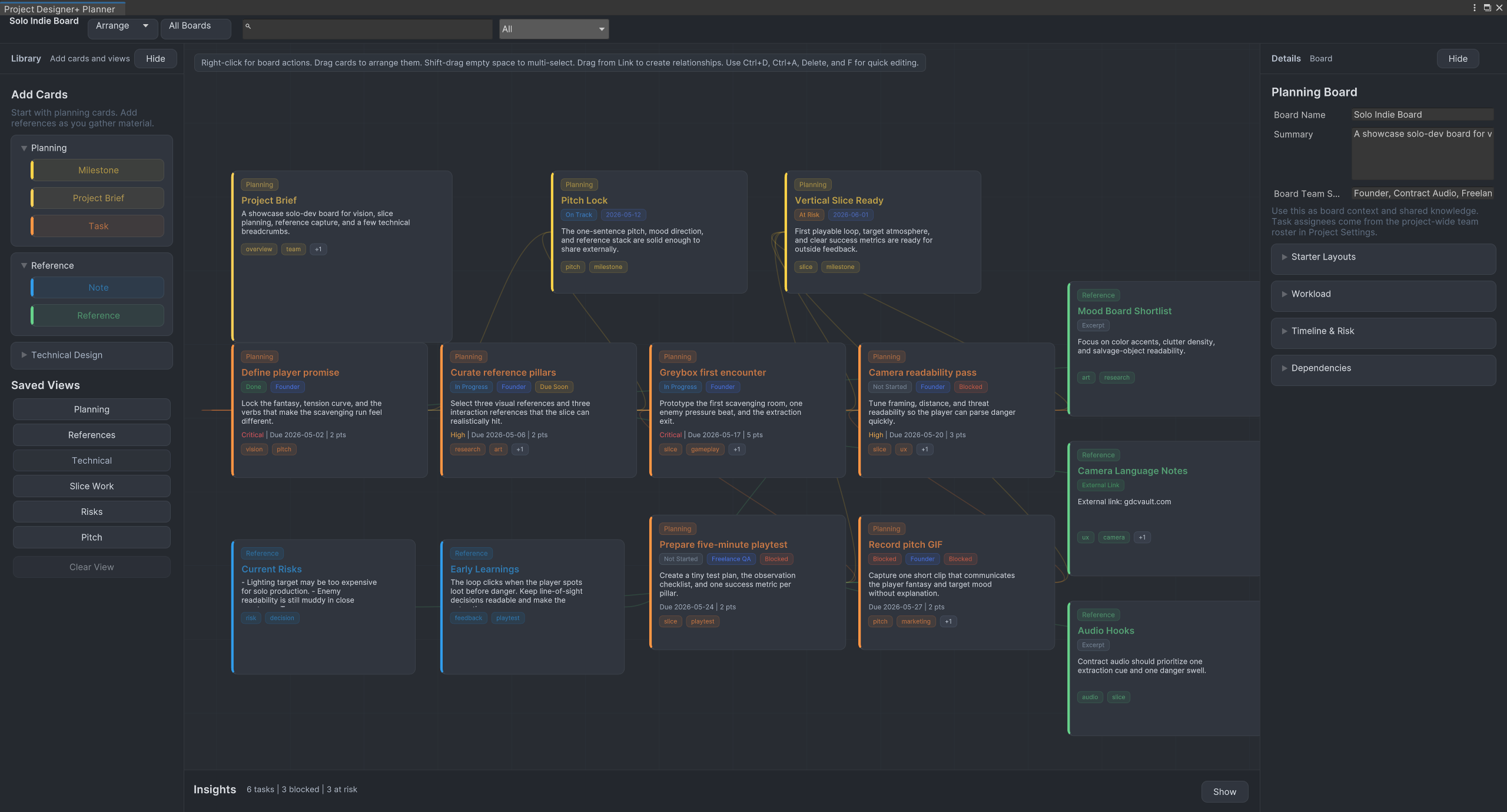
Planning board
Shape the board before implementation starts
Lay out milestones, project briefs, references, and tasks in one planning surface so the next slice has real context before anyone opens a script.
Featured Unity Workflow Tool
Project Designer+ brings milestones, references, and slice-ready tasks into one planning workflow so you can lock the vision before implementation starts.
Current Focus
Project Designer+
A planning workspace for project briefs, references, milestones, and slice work that stays inside Unity instead of living across scattered documents.
Workflow First
Project Designer+ is strongest when it feels like a real planning surface. These views show the specific jobs it does well: shaping the board, clustering references, and preparing slice work.
Planning board
Lay out milestones, project briefs, references, and tasks in one planning surface so the next slice has real context before anyone opens a script.
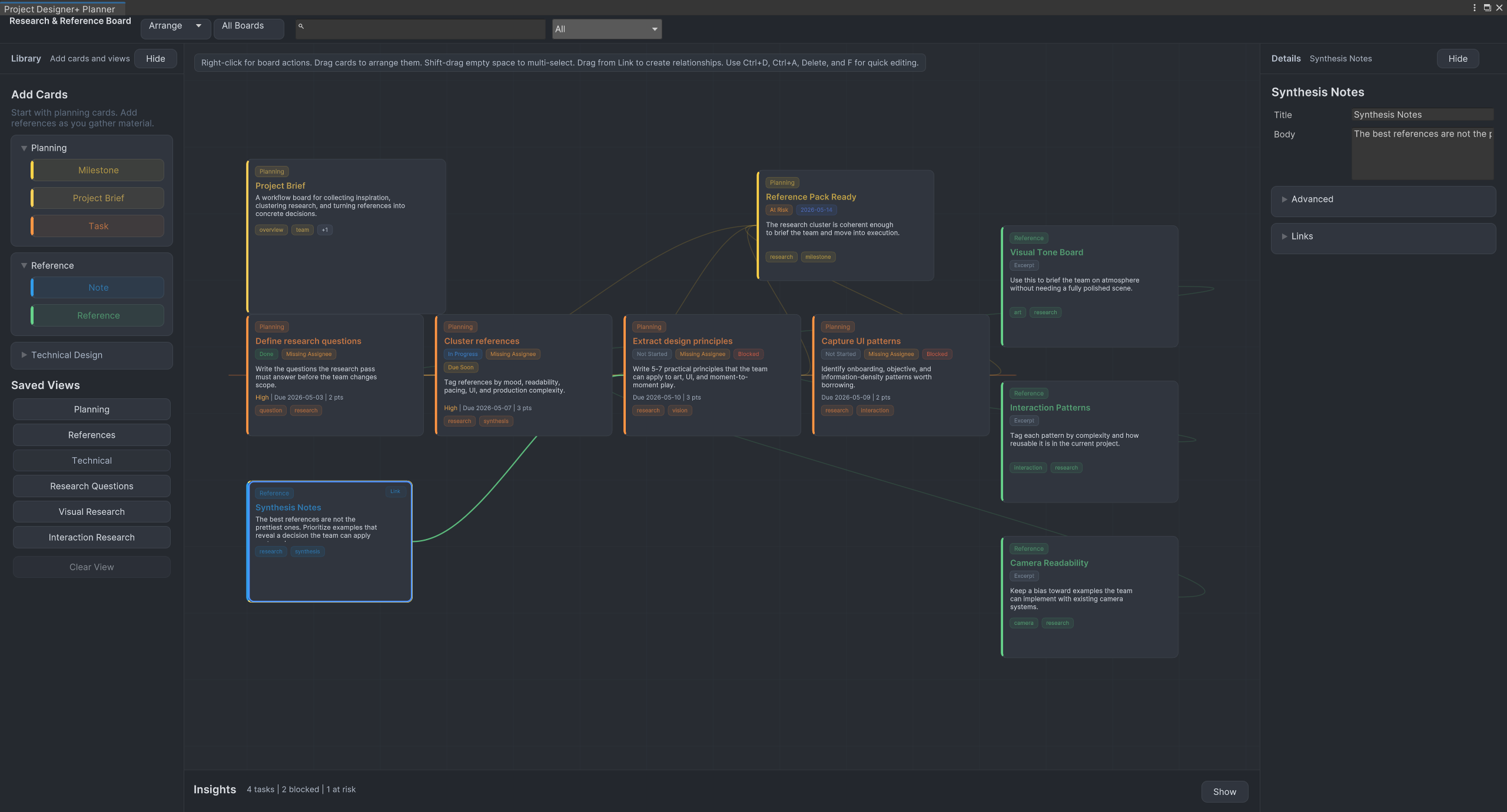
Reference capture
Research boards help you collect examples, synthesis notes, and interaction patterns without scattering the design conversation across external tools.
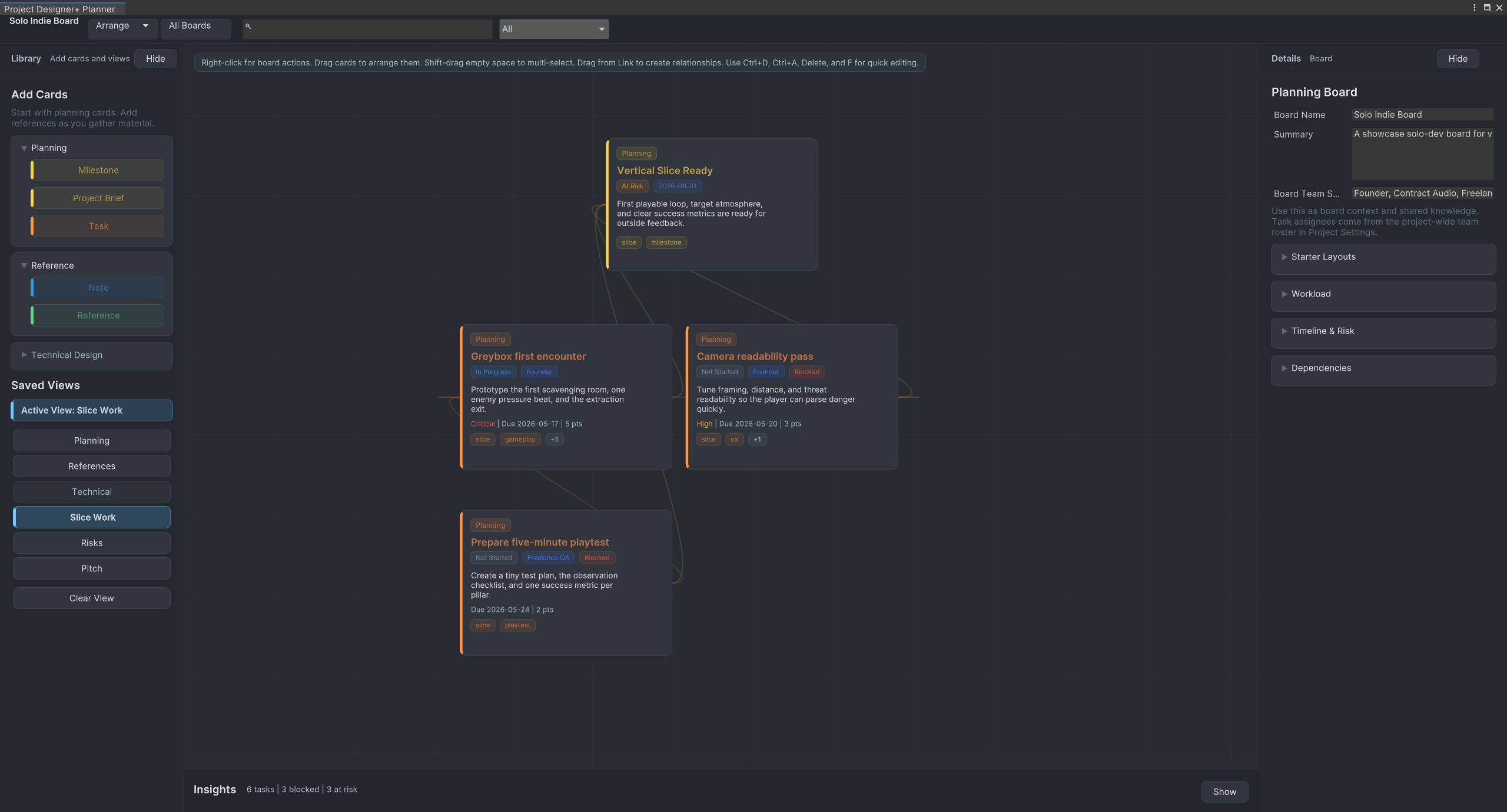
Slice planning
Use focused views for milestones and tasks so production risks, blockers, and playtest prep stay visible while the board stays readable.
Tool In Focus
Use this showcase to preview each tool quickly, then jump into the full page for screenshots, use cases, and FAQs.
Plan Unity projects visually with tasks, milestones, notes, references, workflow presets, and saved planning views directly inside the Unity editor.
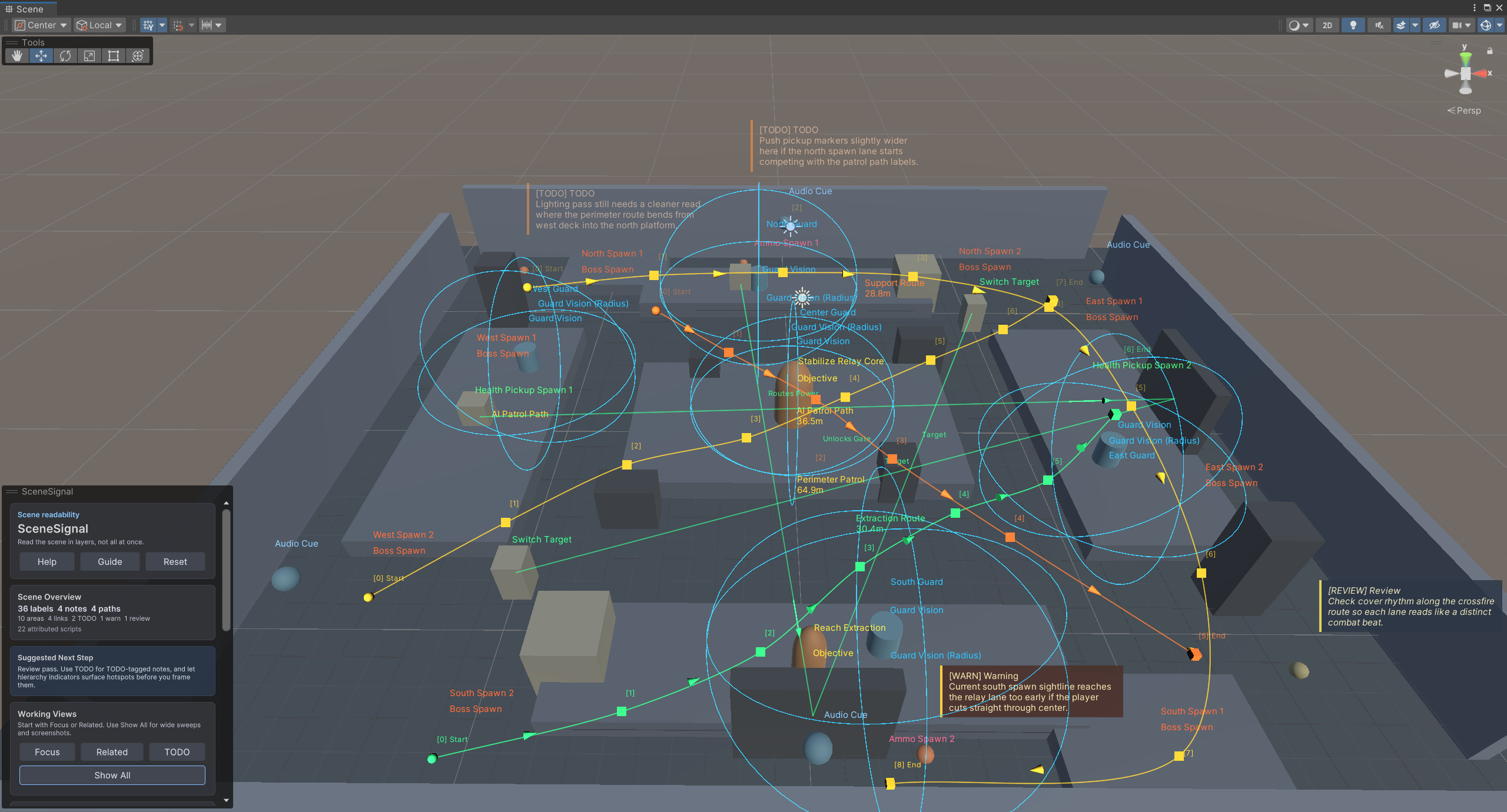
SceneSignal is a Unity scene annotation tool for adding 3D notes, labels, links, areas, and paths without turning the Scene view into clutter.
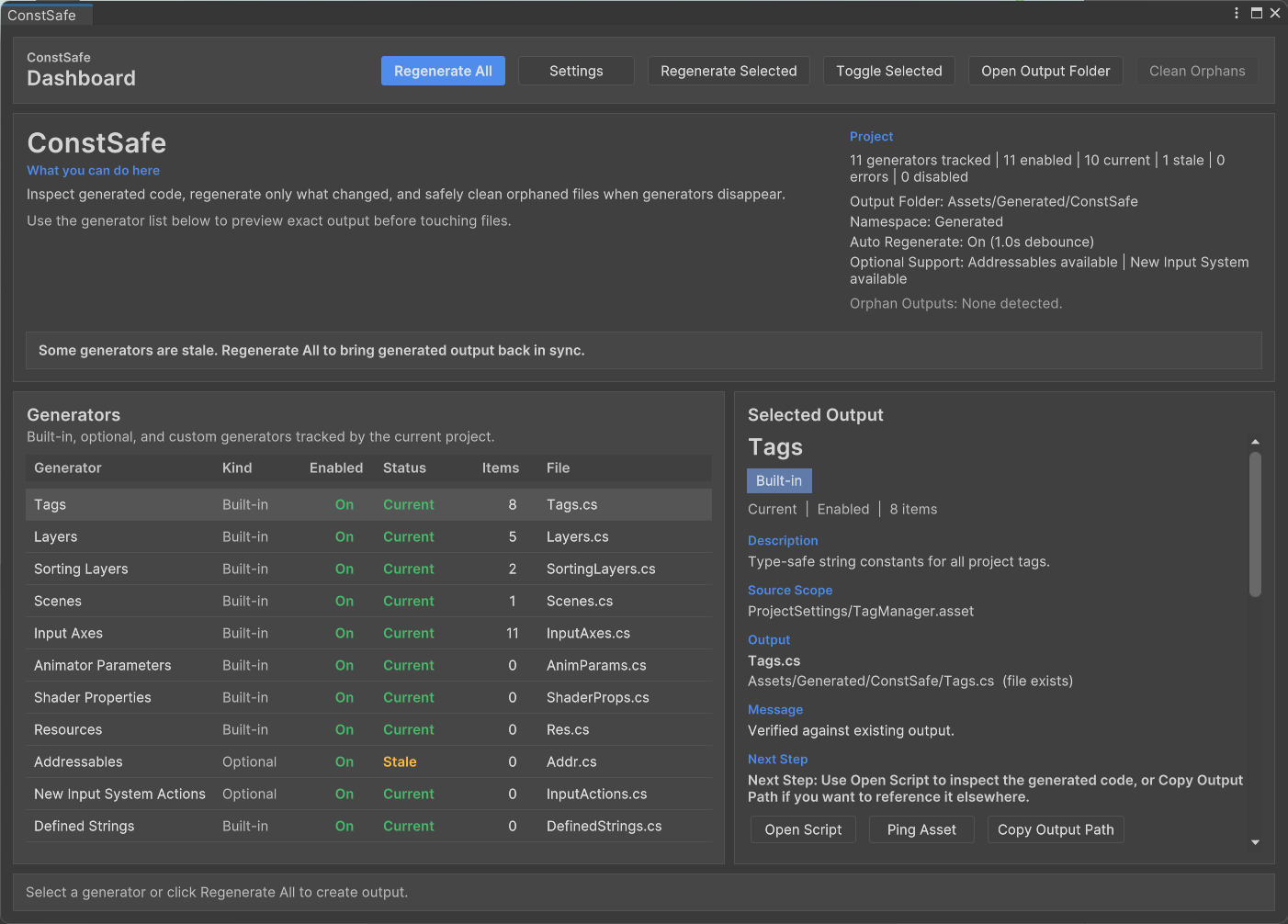
ConstSafe is a Unity constants generator that creates type-safe C# references for tags, scenes, resources, animator parameters, shader properties, and more.
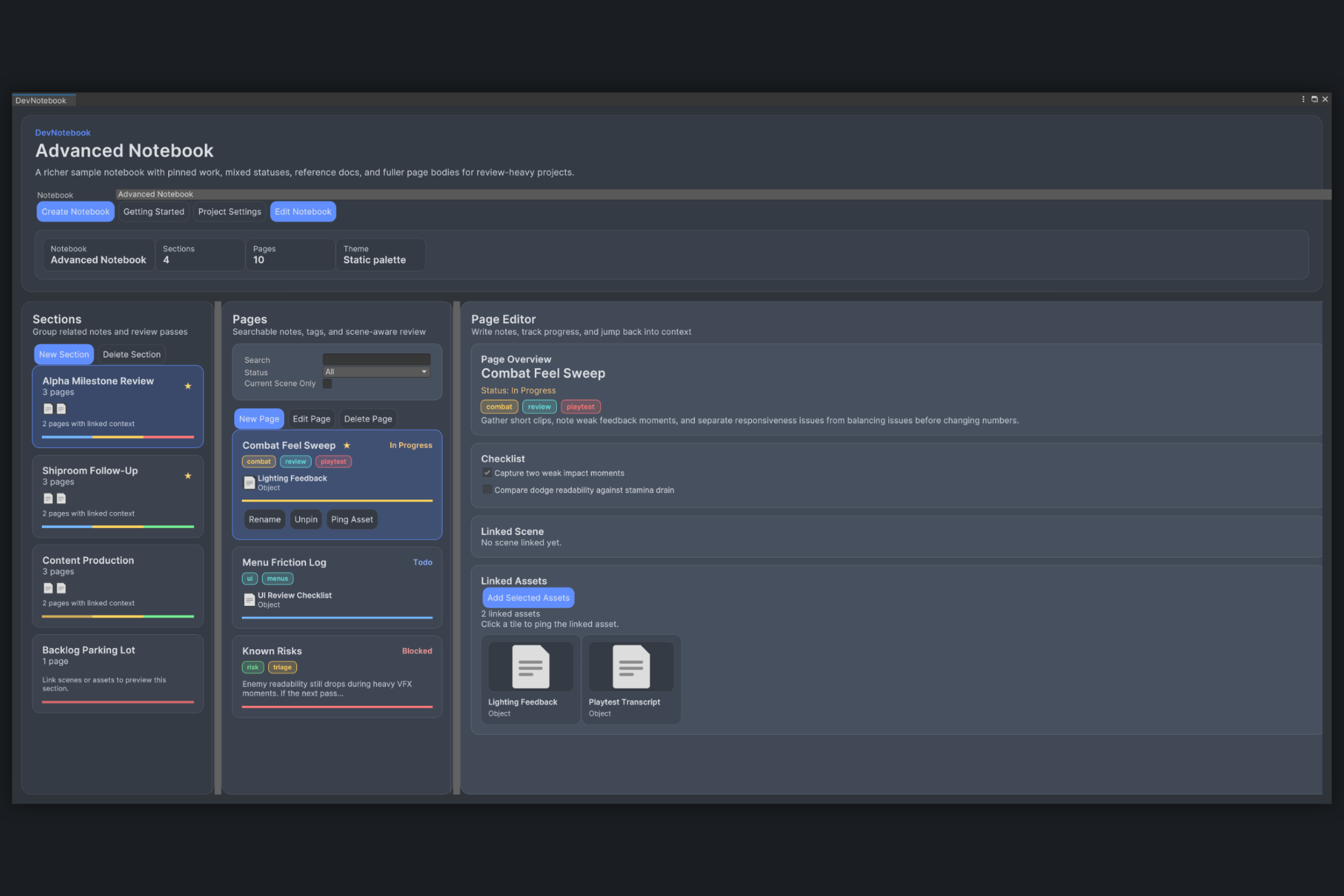
DevNotebook is a Unity editor tool for keeping scene notes, asset follow-up, and review checklists attached to real project content.
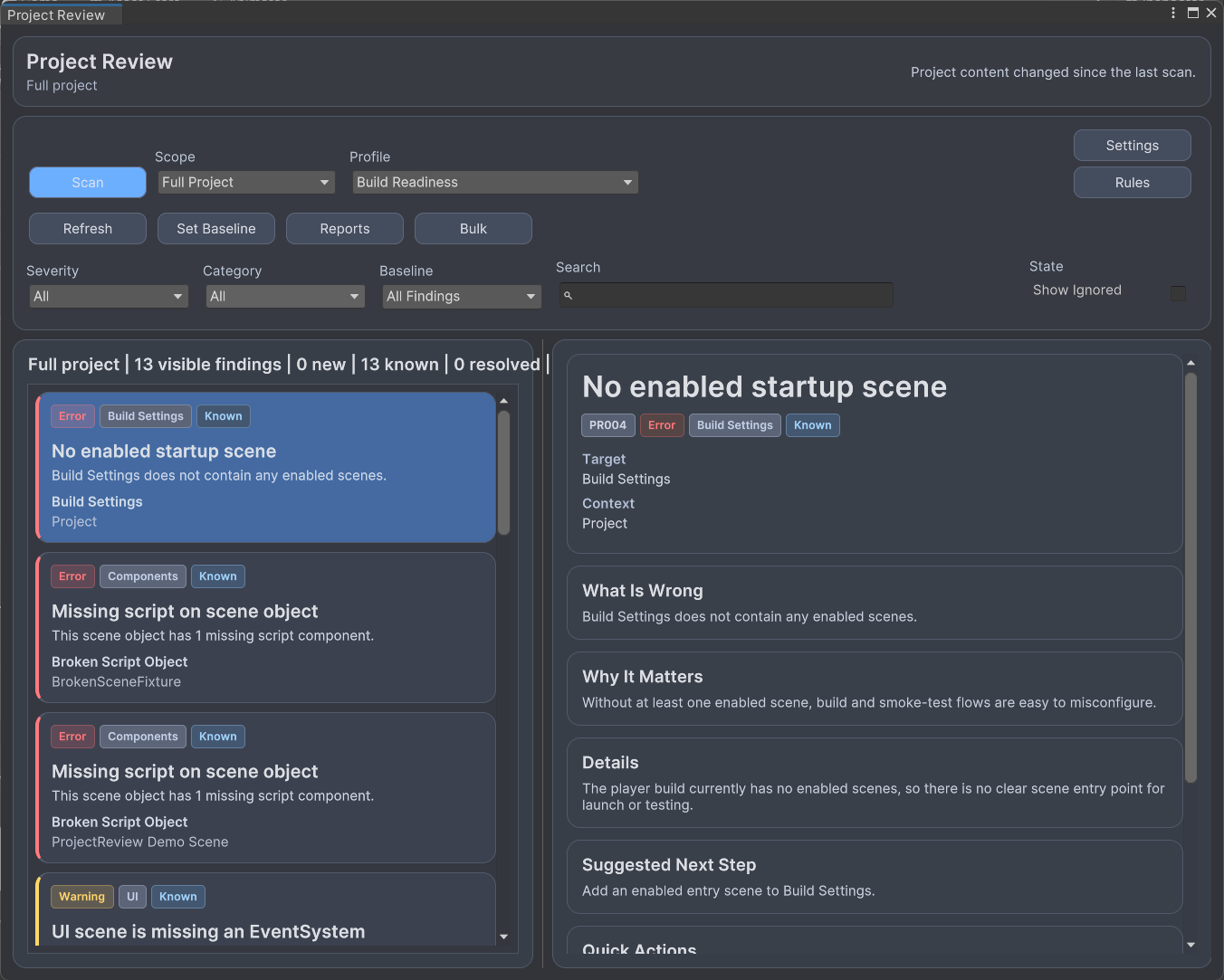
Project Review is a Unity project review tool for scanning scenes, prefabs, and Build Settings for setup issues before playtests and release prep.
The full tool pages go deeper with screenshots, use cases, and FAQs for each workflow.
Browse all tools →From Real Unity Work
The blog is here to explain how these tools fit into real planning work, not to pad the site with generic content. Expect short posts with practical examples and direct links back to the tool.
Project Review is now available on the Unity Asset Store for scanning scenes, prefabs, and Build Settings before playtests and release prep.
SceneSignal is now available on the Unity Asset Store for keeping Unity Scene view notes, links, areas, paths, and review context readable.
A practical workflow for adding Unity Scene view notes, labels, links, areas, and paths without building a separate gizmo system for every feature.